iOS 26 Boarding Passes: Airport Maps and Luggage Tracking in Apple Wallet
- iOS 26
- Apple Wallet
- boarding pass
- airport map
- luggage tracking
You finish a purchase, then switch to Mail to dig out the tracking number. At the airport, the boarding pass, luggage tracking and airport map each live in a different app. At the till, you rummage for a card and can't find the number. iOS 26 pulls all of that into Wallet: orders tracked automatically, luggage tracking built into the boarding pass, and credit cards that autofill system-wide — no more app-hopping.
It is the biggest Wallet upgrade in years, spanning shopping, travel, payments and identity. Here is what is new.
1. Order tracking, powered by Apple Intelligence
Wallet gains Order Tracking, a single place to watch every online order:
- No merchant integration needed. Apple Intelligence reads order numbers and shipping updates out of Mail and syncs them to Wallet.
- All orders, not just Apple Pay. Emails from other payment methods are picked up too.
- Where to look. Tap the "…" button at the top right of Wallet, then Orders.
Note: requires a device that supports Apple Intelligence, and some orders may need to be marked complete by hand.
2. Boarding passes: airport maps and luggage tracking
The boarding pass turns from a lone QR code into a full travel assistant — the part that matters most if you fly:
- Live Activity. Flight status appears on the Lock Screen and in the Dynamic Island, so the gate, boarding time and baggage carousel are visible without opening an app.
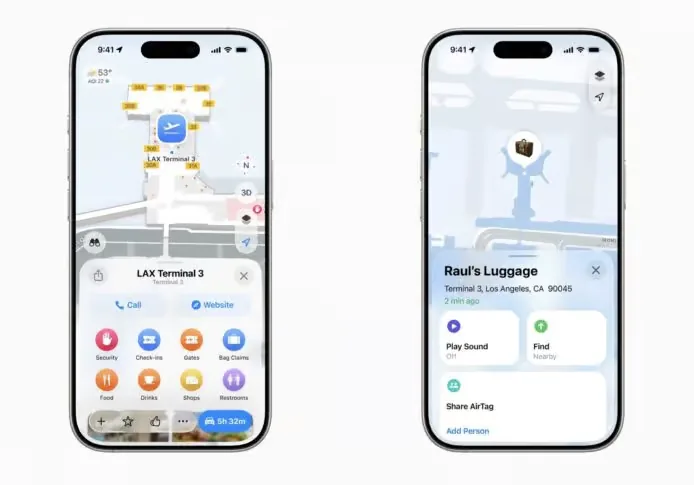
- Airport map. An indoor airport map is built into the pass, pointing you to the gate, lounges, security, baggage claim and restrooms.
- Luggage tracking. Integrated with Find My, so an AirTag-equipped bag can be located.
- Lost bags. You can report a missing bag straight from Wallet.
- Flight sharing. Send flight details to family or friends in one tap, so they can meet you or follow the flight.
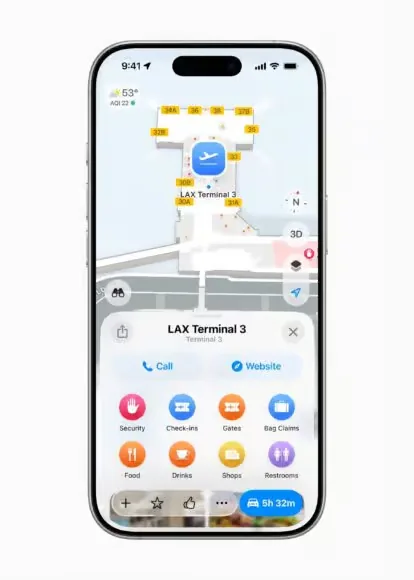
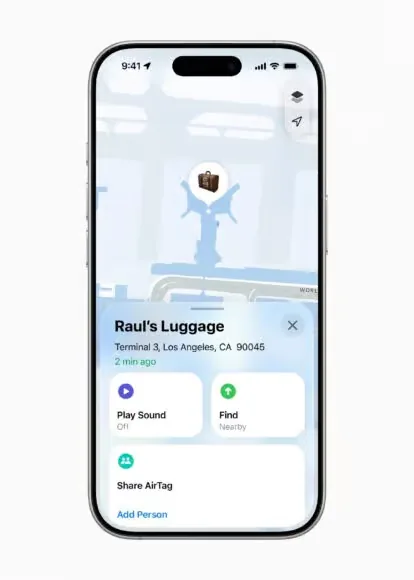
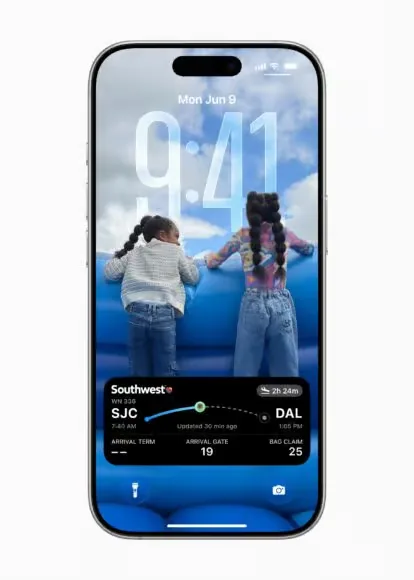
United, Air Canada and Delta are among the airlines already supported; American Airlines, Lufthansa and Qantas have committed to follow.
3. Credit card autofill, now system-wide
iOS 26 extends credit card autofill from Safari to the whole system:
- Works anywhere. Tap a text field in any app or website → Autofill → Credit Cards.
- One place to manage them. A new Autofill menu in Wallet lists, adds and manages every saved card.
- Adding a card. Scan it with the camera or type it in, then confirm with Face ID or Touch ID.
4. Digital ID (US passport): paperless travel
- A US passport can be added to Wallet and stored on iPhone or Apple Watch.
- It works at some TSA checkpoints in the United States and meets the Real ID standard.
- It can also verify age at retailers, in apps and on websites.
Limitation: it is not valid for international travel or border crossings — you still need the physical passport.
5. Installment payments with Apple Pay
When paying in a store with Apple Pay, you can choose an installment plan offered by your bank or card provider. It applies to credit and debit cards alike, which makes larger purchases easier to spread out.
6. Ad controls: promotional notifications can be turned off
Apple has finally addressed a long-standing complaint with a "Offers & Promotions" switch:
- Where. Wallet → "…" at the top right → Notifications → turn off Offers & Promotions.
- Promotional pushes from Wallet (F1 race suggestions, for example) stop once it is off.
- It is on by default, so it has to be switched off manually.
Give the new tricks a try.
Related links
- On this site: Los Angeles LAX, United States (US)
- Wikipedia: Los Angeles LAX
- Baidu Baike: Los Angeles LAX
Related links
- On this site: Los Angeles LAX, United States (US)
- Wikipedia: Los Angeles LAX
- Baidu Baike: Los Angeles LAX
More articlesTravel notes

Direct International Flights from Changsha Huanghua Airport: 15 Routes, Airlines and Schedules
Which international and regional destinations you can fly to non-stop from Changsha Huanghua International Airport (CSX): Yangon, Bangkok (BKK and DMK), Phuket, London, Seoul, Hong Kong, Kuala Lumpur, Singapore, Phnom Penh, Jakarta, Hanoi, Ho Chi Minh City, Vientiane and Nairobi — 15 routes with the airline, flight number, departure and arrival times, flight time and frequency for each, plus how to check the current schedule before you book.6 min read
Paris Charles de Gaulle Airport: Left Luggage, Transport, Tax Refunds and Rest Areas
Everything worth knowing about Paris Charles de Gaulle (CDG) before you land: the layout of Terminals 1, 2 and 3 and the floors of T1, which airlines use which terminal, the free CDGVAL shuttle, left luggage and baggage services, banks and currency exchange, the tax-refund (détaxe) rules and where to claim, free rest areas and lounges, Wi-Fi and charging, SIM cards, and accessibility and family facilities.6 min read